Yacine TV’s Personalised TV Assistant
Beyond the Channel List: How to Use Yacine TV’s “Personalised TV Assistant” to Request Missing Matches and Series
I will be honest, for the first time I thought that Yacine TV could do more than just showing a channel list, it was very strange for me. And it was also disappointing for me, because I had been using it in a wrong way from many months.
I still remember opening the app one weekend, ready for a big match, coffee already made, notifications off, full focus mode.
To my surprise, – the match wasn’t there. Not under Sports, not under Live football, not even hidden somewhere weird. Just missing out.
I did what most people do, refreshed the app. Restarted it. Cleared cache. Even blamed my internet that it was due to slow connection.
I didn’t know that Yacine TV is not just a passive streaming app. It is like a service with a human behind it.
And from then on the so-called “Personalized TV Assistant” comes into my experience.
If you have already downloaded this app, this is where the real power came.
Yacine TV Is Not Just Live Channels (This Took Me Too Long Realize)
From a very long time, I treated Yacine TV like a basic IPTV player. Open app, scroll channels, click stream, hope it works, End of story.
It turns out to me that it is just only a half app.
Yacine TV now have a complete on-demand broadcast mindset.
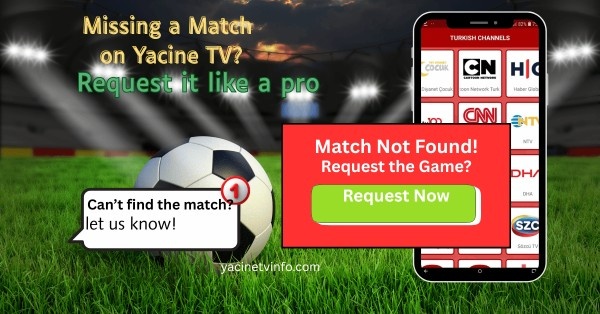
If a specific football match, league game, team broadcast, or even a series episode is missing. You don’t need to check your connecting, installing and uninstalling an app.
You can actually requesting them. And to your surprise a real person on the back side will assist you.
For the first time I didn’t expect a reply. I thought it would be one of those fake “contact us” But no the response came very faster than expectation, especially for football content.
From that day I consider Yacine TV less as an app and more as a personalised TV assistant in your pocket.
What the “On-Demand Broadcast” Feature Realy Means
Let me clear this, because people always misunderstand this part.
Yacine TV doesn’t create content on demand base just like Netflix. What it does offer is the direct communication to the admin who handle all these streams and broadcasts.
If there is not any match listed:
- It might not be scheduled yet.
- It might be mislabeled
- Or it might be added later based on its demand
When the demand for a specific match is very high, the team then adds or fixed it very quickly. I have seen this to happen within hours. Sometimes much faster.
That is why people call it an on-demand broadcast feature because if the app fail to labels any channel the admin label it.
Before You Request Anything (Learned from My Mistake)
I made this mistakes many time. Before making any contact support, check the On-demand Content or Catch-up/Recorded sections.
Manytimes the match already happened and was moved away. Other times, it is named with different league names or league category.
I emailed the support team about “missing” match, only to find it recorded and sitting quietly in the library. That was not my proudest, but a lesson learned..
A checklist before requesting:
- Refresh the app
- Check Sports + Live sections
- Look for Catch-up or Recorded shows
- Search by team name inspite of league.
If you try all this, then reach out to them.
How to Contact Yacine TV Support (Official Ways Only)
This is the most crucial part, especially from safety point of view.
Yacine TV officially allows users to contact the admin team via:
- Email (Google Play): For versions listed on the Play Store, the designated contact email is CUP_IMRUNTV@getnada.com
- Support Email (Alternative): Some versions associated with “Yanis TV” use yaniss@protonmail.com for support inquiries.
- Messenger: Direct feedback and technical report for the API are managed via Telegram.
That’s it.
No Telegram strangers. No random WhatsApp numbers. No sketch comment-section links.
I have seen people fall in false “support” team and then complain about the security risks. That’s no on the app-that’s on using unofficial channels.
I keep my email very simple that include the following things.
- Match name
- League
- Date and time
- Region (optional but helpful)
Very short and crystal clear.
The “Personalised TV Assistant” Feel (It’s Subtle but Real)
No one in the app calls it a “personalized TV assistant.” That is more of user point of view.
But when you interact with support for some times, they help you with.
- Popular football leagues
- Big tournament matches
- High demand teams
I received a reply like, “We will add soon,” and thought nothing of it. Then after a few hours, the stream showed up.
This gives me a great relief.
This turns my frustration into trust, these features is very rare in other TV apps.
Safety While Requesting Content (Don’t Be Careless)
Safety is one of my great concerns, so lets me say it very clearly.
Yacine TV is verified and scanned by security tools like McAfee and CM Security. Inspite of all this you still don’t be careless.
The safest way to request a content is:
- Use your regular email or Messenger.
- Never click some strange files.
- Don’t share your personal data.
- Don’t log in anywhere outside the app.
Block immediately if someone pretending you and asked you to “verify my device”.
The app itself is secure, but users still need some common sense.
Why This Feature Matters More Than People Think
Many blogger treat Yacine TV as a statistic app. Download, install, watch and repeat.
But feature like this turn it into a service, not any player.
This help users to solve big problems:
- Many people think there is “no solution” if any streams are missing.
- Other talk about 24/7 support.
Both are true – if you have no idea where to ask, it feels like no solution will exists.
Once you understand the support path, everything starts work.
Personal Tips to Get Faster Results (Experience-Based)
These are some tips I learned with time, not official rules.
- Request for popular matches earlier in the day.
- Be very clear, vague request get neglected.
- Avoid spamming multiple messages.
- One clear email works better than five angry ones.
Be patience
Due to broadcast limitations sometime matches are not added, its ok.
Not everything is so quick and instant, and that’s normal.