
Best Free IPTV App for Android in 2026: 15 Tested & Ranked
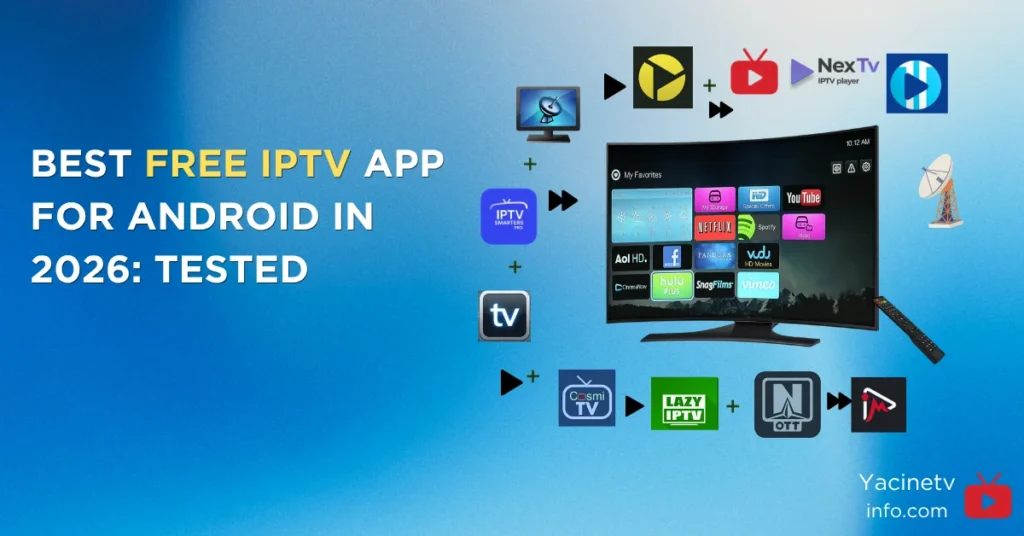
Cable TV bills keep climbing. Channels worth watching? Not so much. No wonder millions of Android users have switched to IPTV apps, software that streams live TV, movies, and shows over a regular internet connection, without the overpriced bundle.
But here is the thing: picking the wrong IPTV player is a genuinely bad time. You end up with buffering, broken EPGs, and interfaces that look like they were designed in 2009. The right app, paired with a solid IPTV service, turns any Android device into a proper live TV machine.
This guide covers the best free IPTV app for Android right now. Each entry includes 8 core specs, honest reasons to install, and reasons you might want to skip it. No filler, no fake ratings.
Quick Comparison Table
Apps | Best For | Free Tier | Phone |
|---|---|---|---|
Yacine TV | Sports fans, Arabic & French channels | Fully Free | Yes |
TiviMate | Android TV power users | Limited | No |
IPTV Smarters Pro | Beginners, all devices | Fully Free | Yes |
XCIPTV | Zero-cost power users | Fully Free | Yes |
OTT Navigator | Deep customization | Free + Paid | Yes |
Kodi PVR | Media center tinkerers | Fully Free | Yes |
Televizo | Mobile-first users | Free + Paid | Yes |
Perfect Player | Multi-language households | Free + Paid | Yes |
Sparkle TV | Free TiviMate alternative | Free + Paid | No |
GSE Smart IPTV | Android + iOS households | Free + Paid | Yes |
Lazy IPTV Deluxe | Playlist flexibility | Free + Paid | Yes |
iMPlayer | Advanced Android TV setup | Free + Paid | Yes |
NexTV | VOD and movie watchers | Free + Paid | Yes |
IPTV Extreme | Feature-heavy freemium | Free + Ads | Yes |
Cosmi IPTV | Modern Android TV, active updates | Free + Paid | No |
What to Look for in a Free IPTV Player
Before jumping into the list, a quick note on what actually matters. M3U and Xtream Codes support are the two main formats IPTV providers use, and any decent app handles both. EPG (Electronic Program Guide) is your TV guide, and without it you are just guessing what is on. Catch-up support lets you watch content from the past few days. Stability with large playlists matters too because some apps fall apart when you load 500 plus channels. Finally, the interface needs to fit your device, because an Android TV app on a phone screen is genuinely painful to use.
Now, let’s get into it.
Best Free IPTV App for Android
1. Yacine TV: The Best Free IPTV App for Android Overall

Best for sports fans, Arabic and French channel viewers, and anyone who wants free live TV without setup headaches.
If you watch live football for free, cricket, or any live sport and you are not using Yacine TV yet, you are paying for something you should not have to. Yacine TV is a fully free Android IPTV app that gives you access to over 700 live TV channels including beIN Sports, SSC, MBC, OSN, Canal+, and hundreds of Arabic, French, and international entertainment channels at zero cost and without a subscription.
The app started as a sports streaming tool built around football. In its latest version (v5.5.1, tested April 2026 on Samsung Galaxy A32 running Android 16), it evolved into a complete free IPTV media player with full M3U playlist support and Xtream Codes API integration that is optimised for window, iOS and smart TV.
Core Specifications
- Playlist Support: Full M3U, M3U8 playlist import and Xtream Codes API integration added in v5.5.1
- Channel Count: 700 plus live TV channels including beIN Sports, SSC, MBC, OSN, Canal+, and Arabic and French entertainment
- Streaming Quality: Adaptive HD streaming that automatically adjusts video quality based on your internet speed
- Sports Coverage: Live football, cricket, tennis with minute-by-minute scores and real-time goal alerts
- Highlights Mode: Dedicated highlights section for match recaps and key moments without watching full games
- Device Compatibility: Android phones, tablets, Android TV boxes, and Firestick via sideloaded APK
- Language Support: Multilingual interface with Arabic and French channel categories reorganized for easier browsing
- Price: Completely free with no subscription, no account required, and no hidden costs
Reasons to install
There is genuinely no other free IPTV app for Android that delivers this level of sports coverage at zero cost. The server infrastructure is built for high-traffic events like Champions League nights, meaning it holds up when other free apps like yacine tv start buffering. Over 5 million users rely on Yacine TV daily. Setup takes under three minutes and you do not need an account to start watching.
Reasons to avoid
Yacine TV is not on the Google Play Store and requires sideloading. It is also strongest for sports and Arabic or French content. If your viewing is primarily English-language entertainment or VOD movies, other apps on this list serve that use case better. There is no catch-up TV feature currently.
Extra detail
Yacine TV was tested and verified on Android 16 devices in April 2026. The v5.5.1 update transformed it from a sports guide into a complete best free IPTV app for android.
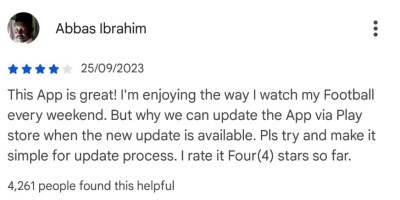
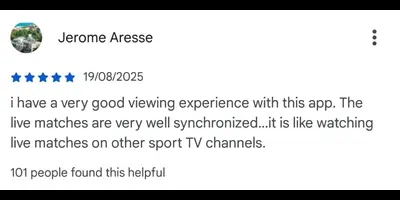
Reviews from Google playstore
2. TiviMate: The Premium Android TV Experience
Best for Android TV boxes and Firestick users who want the most polished setup.
TiviMate is the best free IPTV app for Android TV. The interface is clean, the EPG is the best in class, catch-up works reliably, and channel grouping is genuinely useful. It dominates the Android TV and Firestick market with between 100,000 and 1 million monthly searches, making it the most popular IPTV player in this category.
Core Specifications
- Playlist Support: M3U URL and Xtream Codes API with automatic category tree parsing and channel logo loading
- EPG: 7-day full grid-style EPG with horizontal time scrolling and vertical channel scrolling, similar to traditional cable guides
- Recording: DVR recording available on Premium tier with support for external USB storage
- Catch-Up: Full catch-up TV support on Premium tier
- Picture-in-Picture: PiP mode for watching while browsing other channels
- Multi-Screen: Multiple simultaneous streams on Premium tier
- Auto Frame Rate: Automatic frame rate switching for smoother playback on compatible devices
- Price: Free tier for single playlist and basic playback; Premium at $33.99 lifetime or approximately $5 per year with 5 simultaneous connections
Reasons to install:
If you want the most polished IPTV experience on Android TV, nothing else comes close. The EPG is the gold standard in this category. Updates are consistent and the app has maintained its top position since 2020.
Reasons to avoid:
TiviMate only works on Android TV. It does not run on Android phones or tablets. The free tier is limited and the best features sit behind the premium paywall. Sideloading via Downloader is required since it is not on the Google Play Store.
Extra detail:
TiviMate v5.3.2 was released in June 2026. Some users reported issues with the update, so holding on a stable version is reasonable if your current setup works well.
Review on Google Playstore

3. IPTV Smarters Pro: Best for Beginners
Best for beginners and multi-device households.
IPTV Smarters Pro is the most widely installed IPTV app globally. It runs on Android phones, tablets, Android TV, iOS, Mac, Windows, Samsung Smart TV, LG Smart TV, and even Roku, giving it the widest platform coverage of any player on this list.
Core Specifications:
- Playlist Support: M3U playlists and Xtream Codes API with category management
- EPG: Built-in EPG with program guide and schedule information
- Recording: Built-in recording support
- Parental Controls: Full parental control system with PIN protection
- Multi-Screen: Multi-screen viewing support for watching more than one channel simultaneously
- Speed Test: Built-in speed test tool to diagnose buffering before blaming the app
- Platform Coverage: Android, iOS, Mac, Windows, Samsung Smart TV, LG Smart TV, Roku, and Firestick
- Price: Completely free with no hidden premium tier for core features
Reasons to install:
Setup is genuinely simple. You paste your provider’s M3U URL or Xtream Codes credentials and you are watching TV in minutes. It also supports iOS and Samsung Smart TVs, which almost no other app on this list does.
Reasons to avoid:
Power users will hit the ceiling fast. Customization options are limited compared to TiviMate or OTT Navigator. The UI is functional but not especially refined for TV screens.
Extra detail:
IPTV Smarters is available directly on the Google Play Store, making it the easiest starting point for anyone new to free IPTV streaming on Android.
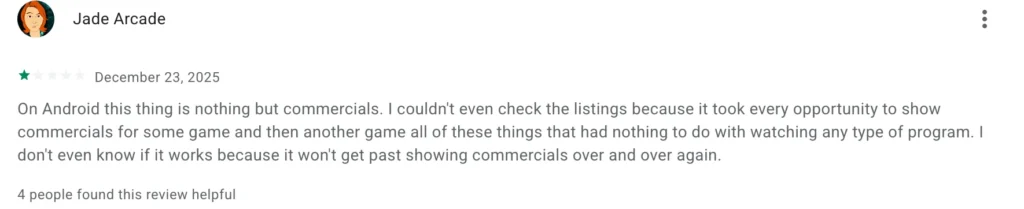
Review on Google Playstore
4. XCIPTV: The Best Completely Free Player
Best for users who want zero cost and a genuinely powerful feature set.
XCIPTV is fully free with no ads and no paywall. It is widely considered the strongest completely free IPTV player available in 2026, including DVR recording and multi-screen viewing at no cost, features that require payment in TiviMate and most competitors.
Core Specifications:
- Playlist Support: M3U and Xtream Codes support with MAC address portal support
- EPG: Full EPG support with XMLTV format
- Time Shift: Time Shift technology allowing users to pause, rewind, and fast-forward live content
- DVR Recording: Free DVR recording included without any paywall
- External Players: Integration with MX Player and VLC for more powerful hardware decoding
- Multi-Screen: Multi-screen viewing included in the free version
- Chromecast: Chromecast support for casting to your TV
- Price: Completely free, no premium tier, no ads
Reasons to install:
XCIPTV handles large playlists well, meaning thousands of channels without the app choking. DVR and multi-screen are both free, which is genuinely rare. Power users keep it installed as a reliable backup even when they prefer other apps as primary.
Reasons to avoid:
The interface is heavier than TiviMate and the EPG is functional rather than beautiful. It requires sideloading and is not available in any app store. Not the most beginner-friendly setup experience.
Extra detail:
XCIPTV is considered one of the best free IPTV APKs for Fire TV and Android TV. The Downloader code 730116 is commonly referenced in setup guides for Firestick installation.
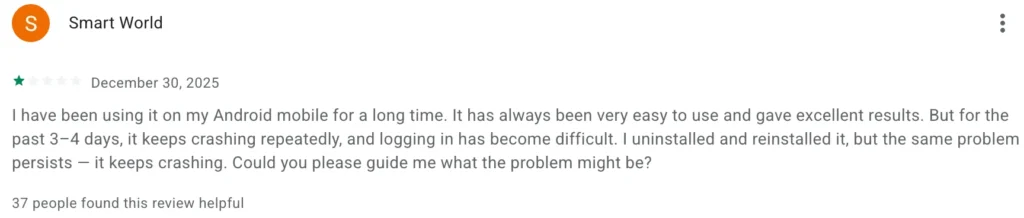
Review on Google Playstore
5. OTT Navigator: The Swiss Army Knife
Best for power users who want deep customization and large playlist management.
OTT Navigator has some of the best EPG rendering and UI customization of any app in this category. It is built for speed and powerful filters, making channel switching and event finding fast even during high-traffic sports nights with huge channel lists.
Core Specifications:
- Playlist Support: M3U, Xtream Codes API, and Stalker Portal support
- EPG: Multiple EPG layouts with several days of program information and extensive customization options
- Catch-Up: Full catch-up TV support
- Recording: Advanced recording capabilities with scheduling
- Time-Shifting: Time-shifting functionality for pausing and rewinding live TV
- Multi-Playlist: Multiple simultaneous playlists from different providers with multi-user profiles
- Customization: Channel logo management, filter and sort tools, Chromecast, and AirPlay support
- Price: Free tier available; Premium at $0.99 per month or $19.99 lifetime
Reasons to install:
If you want granular control over how channels are organized, how the EPG looks, and how streams buffer, OTT Navigator gives you those controls. It is particularly strong for households with different viewing preferences using multi-user profiles.
Reasons to avoid:
The initial setup takes more steps than most apps. On Android phones the interface feels oversized because it was clearly designed for a 10-foot TV experience.
Extra detail:
OTT Navigator’s user base on Android TV grew significantly through 2024 and holds strong in 2026. On phones the experience is noticeably less polished than on TV devices.
6. Kodi with PVR IPTV Simple Client: For Tinkerers
Best for users who enjoy customization and already use a media center setup.
Kodi is an open-source media player that doubles as an IPTV solution through its PVR IPTV Simple Client add-on. It is free, has thousands of community-built add-ons, and supports virtually every media format you will ever encounter.
Core Specifications:
- Playlist Support: M3U playlists via PVR IPTV Simple Client add-on
- Add-Ons: Thousands of community-built add-ons for extended functionality
- Codec Support: AV1 and HDR10+ support in Kodi 22 (Nexus), plus virtually every other major format
- Customization: High customization through skins, plugins, and interface themes
- Media Center: Full local media library management for movies, music, photos, and TV alongside IPTV
- Platform: Android phones, tablets, Android TV, Windows, Mac, Linux, and Raspberry Pi
- Google Play: Available directly on the Google Play Store without sideloading
- Price: Completely free and open-source with no premium tier
Reasons to install:
No other app on this list offers Kodi’s level of flexibility. It is a complete home media center, not just a free IPTV player. If you already use Kodi for movies and music, adding IPTV on top is a natural step.
Reasons to avoid:
Kodi is not plug-and-play for IPTV. You install the app, then install the PVR add-on, then configure it with your M3U URL. If tinkering is not your idea of fun, skip this one.
Extra detail:
Kodi is one of the few apps on this list available directly from the Google Play Store, which simplifies installation on Android TV devices and removes the need for sideloading.
7. Televizo: The Mobile-Friendly Choice
Best for Android phone and tablet users who want a clean, touch-optimized experience.
Televizo focuses on being genuinely good on phones and tablets rather than trying to be a universal app. The interface is clean, lightweight, and built for touch navigation. It works smoothly on Firestick, Android TV, and phones with almost no lag.
Core Specifications:
- Playlist Support: M3U and Xtream Codes API with auto-update for playlists
- EPG: Full EPG support with program guide integration
- Parental Controls: Full parental control system available on Premium tier
- Chromecast: Built-in Chromecast support for casting to your TV
- Backup and Restore: Playlist backup and restore feature for easy device switching
- Channel Loading: Fast channel loading optimized for mobile connections
- Google Play: Available directly on the Google Play Store without sideloading
- Price: Free with ads; Premium at approximately $2 per month removing ads and unlocking parental controls and backup features
Reasons to install:
On mobile, Televizo feels more at home than apps designed for TV. Channel management is simple and it works well on lower-end Android devices that struggle with heavier apps.
Reasons to avoid:
Televizo is not the strongest choice for Android TV boxes. If your primary screen is a television, look at TiviMate or XCIPTV instead. The free version includes ads.
Extra detail:
Televizo is available directly from the Google Play Store, which means no sideloading required. That is a genuine convenience for casual users who just want things to work.
8. Perfect Player: Best for International Households

Best for non-English speaking households and older Android devices that struggle with heavier apps.
Perfect Player is the multi-language option that most guides overlook. Its UI ships in six languages and its design draws on cable and satellite TV EPG aesthetics, making it familiar to users coming from traditional TV.
Core Specifications:
- Playlist Support: M3U and Xtream Codes support
- EPG: Full EPG support with a TV guide layout modelled on cable and satellite interfaces
- Language Support: UI available in six languages for non-English households
- Channel Lock: Favorites management and channel lock feature
- Multiple Playlists: Support for managing multiple playlists
- Lightweight: Optimized for older and lower-specification Android devices with minimal resource usage
- Google Play: Available directly on the Google Play Store without sideloading
- Price: Free tier fully functional; premium upgrade available at affordable pricing
Reasons to install:
The multi-language interface is a real differentiator. It also runs well on older, lower-powered devices where heavier apps start to lag. The EPG layout will feel immediately familiar to anyone used to traditional cable TV guides.
Reasons to avoid:
The overall experience is lighter than TiviMate. Perfect Player has not received significant updates in several years, which matters for long-term reliability on newer Android versions.
Extra detail:
Perfect Player remains one of the few free IPTV apps that also has a dedicated Windows build, making it useful if you want the same player across Android and PC.
9. Sparkle TV: The Hidden Gem

Best for Android TV users who want a TiviMate-style experience without paying.
Sparkle TV is developed by HKAB and runs on Firestick, Fire TV, Android TV, and Google TV. The interface is modelled closely on TiviMate with a grid EPG layout and similar navigation structure, making it immediately familiar to anyone who has used TiviMate before.
Core Specifications:
- Playlist Support: M3U playlists and Xtream Codes API
- EPG: Full grid EPG layout modelled on TiviMate with multi-day program information
- Time Shift: Time Shift functionality for pausing and rewinding live TV
- DVR Recording: DVR recording and scheduling included
- Picture-in-Picture: PiP mode for watching while browsing
- Multi-Screen: Multi-screen viewing support
- VOD: VOD catch-up support with a “Play next” feature on the home screen
- Price: Free tier available; Sparkle Plus upgrade unlocks favourites and full feature set
Reasons to install:
Sparkle delivers a premium-adjacent experience including Time Shift and DVR at no cost in the free tier. Developers update it regularly, which is a good sign for long-term reliability.
Reasons to avoid:
The free tier notably lacks favourites, which is a significant limitation for daily use. XCIPTV includes favourites completely free, making it a stronger free option if favourites matter to you. Sparkle TV was removed from Google Play in May 2026 and must be sideloaded.
Extra detail:
Sparkle TV combines Time Shift with DVR scheduling in its free tier, features that typically sit behind paywalls in competing apps. The Plus upgrade is effectively required for a complete daily use experience.
10. GSE Smart IPTV: The Cross-Platform Powerhouse
Best for users who switch between Android, iOS, and Apple TV.
GSE Smart IPTV runs properly on Android, iOS, Android TV, and Apple TV. If your household is split between Android phones and iPhones, this is one of the very few free IPTV apps that works natively across all of them without workarounds.
Core Specifications:
- Playlist Support: M3U, M3U8, Xtream Codes API, and JSON playlist format support
- EPG: Full XMLTV EPG support with real-time dynamic loading without waiting for full download
- Stream Protocols: HTTP, HLS, MMS, RTSP, and RTMP stream protocol support
- Language Support: Dynamic language switching across 31 languages
- Chromecast: Full Chromecast and AirPlay support for casting to TVs
- Local Media: Local media storage playback alongside IPTV streams
- Parental Controls: Built-in parental controls with subtitle support
- Price: Free tier with ads; Pro upgrade available that removes ads and adds cloud sync
Reasons to install:
The multi-platform support across Android and iOS is genuinely rare. The 31-language interface makes it the strongest choice for international households. Playlist management is flexible and Chromecast integration works reliably.
Reasons to avoid:
The interface is cluttered and new users can feel lost during setup. The app has not seen major feature updates recently, which raises questions about long-term development.
Extra detail:
GSE Smart IPTV’s EPG loads dynamically in real time rather than requiring a full download first, which means you can start browsing channels immediately on large channel lists while guide data fills in.
11. Lazy IPTV Deluxe: Best for Playlist Flexibility
Best for users who manage multiple playlists across different apps and want full export control.
Lazy IPTV Deluxe takes a playlist-first approach. It focuses on giving users complete control over how playlists are organized, loaded, and exported. The playlist export feature is genuinely rare in this category.
Core Specifications:
- Playlist Support: M3U, XSPF (XML Shareable Playlist Format), ZIP, and GZ format support
- EPG: Full EPG support in XMLTV and JTV formats
- External Players: Internal and external player options including compatibility with VLC
- Playlist Export: Full playlist export function for moving your setup to any other app
- Local Storage: Ability to access media from local file system as well as direct web URLs
- Extra Content: YouTube and VK video playback built in, plus internet radio channel support
- Organization: Favorites, nested folders, playlist group creation, and shortcut creation for channels
- Price: Free tier with core features; Deluxe upgrade available
Reasons to install:
The playlist export feature alone makes this worth keeping installed. If you ever want to move your setup to a different app, Lazy IPTV Deluxe lets you take your playlist with you. The XSPF format support covers non-standard playlist types most apps reject.
Reasons to avoid:
Setup takes more effort than the name implies. The design has not kept pace with more modern-looking apps like NexTV or Sparkle TV.
Extra detail:
Lazy IPTV Deluxe is one of the only free IPTV apps for Android that supports XSPF (XML Shareable Playlist Format) alongside YouTube playback directly within the app.
12. iMPlayer: Advanced Android TV Player
One of the Best free iptv app for Android TV users who want catch-up, recording, and cloud backup in a single free download.
iMPlayer is available on Android phones, tablets, Android TV, Apple TV, iPhone, and iPad. It is designed to deliver a cable-like TV experience with a rich set of features covering live TV, VOD, recording, downloads, and full EPG browsing.
Core Specifications:
- Playlist Support: M3U file playback and Xtream Codes API support
- EPG: Full EPG guide support with scheduling and program information
- Catch-Up: Catch-up TV support for watching missed content
- Recording: Live TV recording with scheduled recording support and external USB storage option
- Time Shift: Local time shift support for pausing and rewinding live streams
- VOD: Full VOD support with download capability for offline viewing
- Backup: Playlist and settings backup locally or to cloud for easy device switching
- Price: Free tier with core features; Premium unlocks catch-up, rewind, multiview, channel locking, and cloud backup with lifetime plans available for 3, 4, or 5 devices
Reasons to install:
iMPlayer packs catch-up, recording with external storage support, time shift, VOD, and cloud backup into a single app. The scheduled recording feature is a genuine standout. Setup is straightforward and it runs on both phones and TV devices.
Reasons to avoid:
The most useful features sit behind the Premium paywall. The free version is decent but you will feel the limitations quickly if recording and catch-up are important to you.
Extra detail:
iMPlayer is available on the Google Play Store for Android phones and tablets, and it passed a VirusTotal security scan, which matters in a category where sideloaded APKs carry real safety risks.
13. NexTV: The VOD-First Player
Best for users who watch more movies and shows than live TV.
NexTV is built around VOD content with movie posters, cast information pulled from the TMDb database, and a streaming-service-style layout that feels more like Netflix than traditional IPTV. Live TV is supported but clearly secondary to the on-demand experience.
Core Specifications:
- Playlist Support: M3U and Xtream Codes API support
- VOD Interface: Netflix-style browsing with movie posters, cover art, and content descriptions
- Metadata: TMDb (The Movie Database) API integration for accurate movie and show cast details
- Content Sections: Dedicated sections for Live Streaming, Movies, and TV Shows
- Catch-Up: VOD catch-up support for missed content
- Watchlist: Watchlist and content recommendation features
- Device Compatibility: Android phones and Android TV
- Price: Free tier available; NexTV+ lifetime at $19.99 unlocks full VOD beyond 30 minutes and removes restrictions
Reasons to install:
If VOD is your primary use case, NexTV delivers the most polished browsing experience of any app on this list. Proper poster art, descriptions, and cast info replace the usual plain channel list. The TMDb integration keeps metadata accurate and current.
Reasons to avoid:
The free tier restricts VOD content beyond 30 minutes, which significantly limits movie watching without a NexTV+ subscription. Live TV feels secondary here.
Extra detail:
NexTV sources its metadata from The Movie Database (TMDb), the same database used by Plex and Kodi, which means content information stays accurate without manual maintenance.
14. IPTV Extreme: Feature-Heavy with a Freemium Model
Best for experienced users who want a feature-dense free IPTV APK with multi-EPG support.
IPTV Extreme works on both Android smartphones and Android TV, supports the major playlist formats, and offers high customization. Users praise it for stability and extensive features including recording and multi-EPG support.
Core Specifications:
- Playlist Support: M3U and Xtream Codes API support with multi-EPG capability
- EPG: Multiple EPG source support for loading guide data from different providers simultaneously
- Recording: Built-in recording support with playlist management via Xtream Codes API
- Parental Controls: Full parental control system
- External Players: External player support for hardware-accelerated decoding
- Channel Management: Channel grouping, filtering, and favorites organization tools
- Backup and Restore: Backup and restore functionality for easy device migration
- Price: Free with ads; IPTV Extreme Pro upgrade removes ads and unlocks advanced features
Reasons to install:
IPTV Extreme handles large channel lists reliably. The multi-EPG support and backup features are practical tools that save real time. Users keep coming back to it because of its stability even with large playlists.
Reasons to avoid:
The ad-supported free version includes ads during channel switching. The interface can seem clunky at first and slow loading times appear with very large playlists.
Extra detail:
IPTV Extreme Pro removes ads entirely and is a reasonable one-time investment for daily users who find the stability and multi-EPG support valuable enough to justify paying for a cleaner experience.
15. Cosmi IPTV: The Rising Newcomer
Best free iptv app for Android TV users who want a modern interface backed by an active development team.
Cosmi IPTV has built a reputation for consistent updates in a category where many apps go abandoned within 18 months of launch. It consistently appears in top five rankings from dedicated IPTV review platforms in 2026.
Core Specifications:
- Playlist Support: M3U and Xtream Codes API support
- EPG: Full EPG support with multi-day program guide information
- Catch-Up: VOD catch-up support for missed content
- Multi-Screen: Multi-screen view for watching multiple channels simultaneously
- Interface: Modern card-based Android TV interface optimized for remote navigation
- Updates: Active development with regular updates, standing out in a category of frequent abandonware
- Device Focus: Android TV and Firestick optimized with a TV-first design philosophy
- Price: Free tier available; paid upgrade unlocks extended features
Reasons to install:
Cosmi’s consistent update schedule is its biggest selling point. In a category where apps frequently go abandoned, Cosmi has maintained active development. The interface is modern and competitive with more established names.
Reasons to avoid:
Cosmi IPTV is newer than most apps on this list, meaning community support and troubleshooting resources are thinner. It is also Android TV focused, making it a poor fit for phone or tablet use.
Extra detail:
Cosmi IPTV consistently appears in updated top five rankings from dedicated IPTV review platforms in 2026, which is a meaningful signal in a space where many apps go unmaintained.
A Quick Word on Legal Use
IPTV apps are legal tools. What matters is what you stream through them. Using best free IPTV app for Android with a legitimate subscription from a licensed provider is perfectly legal. Streaming pirated content without authorization is not, and can result in legal consequences depending on your country. Always pair your IPTV player with a legitimate service.
Final Recommendation by Use Case
For sports fans and Arabic or French content viewers, Yacine TV is the clear top pick and the best free IPTV app for Android overall. For Android TV with the most polished setup, TiviMate remains the benchmark. For a completely free option that works across all devices, IPTV Smarters Pro covers the most ground. Users who want free with power-user controls should look at XCIPTV or OTT Navigator. Android phone users will feel most at home with Televizo. Media center tinkerers belong on Kodi. Multi-language households should go to GSE Smart IPTV or Perfect Player. VOD-first users should try NexTV. Anyone who wants a TiviMate-like experience at no cost should start with Sparkle TV or iMPlayer. And for playlist management flexibility, Lazy IPTV Deluxe earns its place on any serious setup.
The player is only half the equation. A great free IPTV android app on a poor-quality service will still buffer and freeze. Start with a reliable provider, test with a free player, and upgrade your setup from there.
Sources: TroyPoint (June 2026), EarthWeb (April 2026), Lit IPTV (April 2026), TechDator (April 2026), SoftwareTestingHelp (January 2026), YacineGeeks (April 2026), IPTVRanking (June 2026), FirestickTricks (June 2026)

I am Usman, known as StreamSleuth – a Saudi based streaming app tester and the person behind YacineTVInfo.com. Since 2022 I have been installing, breaking and troubleshooting Yacine TV across Android phones, and troubleshooting Yacine TV across Android phones, Firestick, and Android TV boxes to write guides that actually work. Self-taught, hands-on, and allergic to copy-pasted device.